
As a digital entrepreneur and game developer, your most vital tools are your hardware. Yet, the very devices that power your business—keyboards, high-precision mice, and touchscreens—are also some of the most concentrated microbial reservoirs in your environment. For a professional who spends 10+ hours a day in digital interfaces, “Tech Hygiene” is not just about keeping things looking new; it is about preventing hardware failure and protecting your own health.
Creating a clean “Digital Biome” requires a balance between aggressive disinfection and the delicate protection of sensitive electronics. Here are ten high-quality pillars for tech-centric infection control and hardware longevity.
1. The Keyboard “Deep Scrub” Protocol
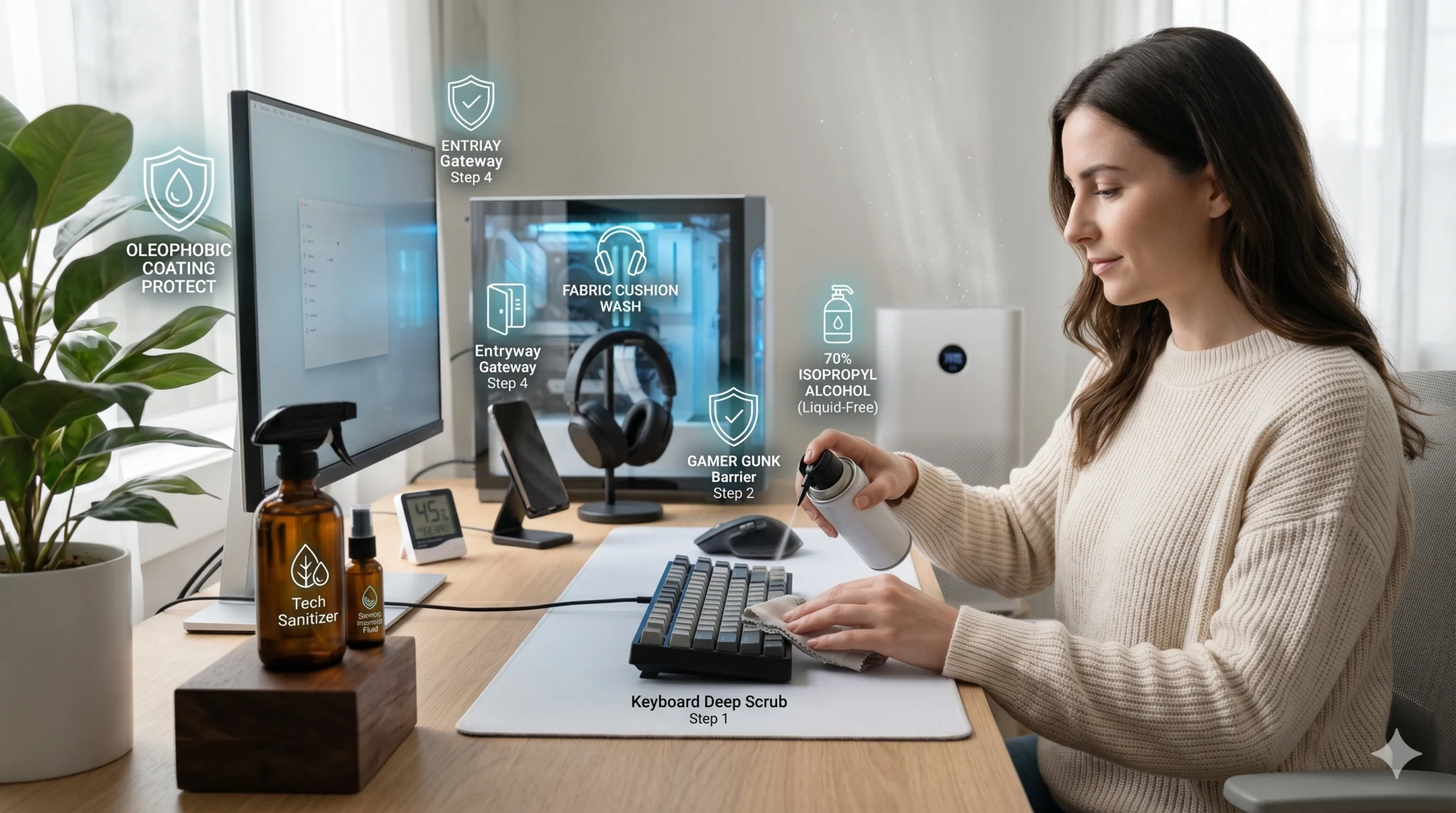
Keyboards are notorious for “bio-accumulation.” Skin cells, oils, and food particles fall between the switches, creating a nutrient-rich environment for bacteria and mold.
- The Routine: Use a high-pressure air duster (canned air or an electric blower) weekly to clear debris.
- The Disinfection: Use a 70% Isopropyl Alcohol wipe on the keycaps. Avoid using “wet” sprays directly on the board, as liquid can seep into the switches and cause short circuits or “key chatter.”
2. High-Precision Mouse Maintenance
Your mouse is in constant contact with your palm for hours. This leads to a buildup of “gamer gunk”—a mixture of sweat, dead skin, and dust that accumulates on the sensor and the side grips.
- The Sensor Path: Keep your mousepad clean. A dirty pad transfers oils back to the mouse feet (skates), increasing friction and reducing precision.
- The Alcohol Swap: Wipe the contact surfaces daily. For mice with rubberized grips, use a damp microfiber cloth instead of alcohol to prevent the rubber from becoming sticky over time.
3. Screen Integrity and Oleophobic Coatings
Modern monitors and smartphones have “oleophobic” (oil-repelling) coatings. Using harsh glass cleaners like Windex will strip these coatings, leaving your screens permanently streaky and more susceptible to bacterial adhesion.
- The Safe Solution: Use only a dry microfiber cloth for daily dusting. For deeper cleaning, use a specialized screen cleaner or a 50/50 mix of distilled water and white vinegar applied to the cloth, never the screen.
4. Mobile Device “Gateway” Control
Your smartphone is the bridge between the outside world and your sterile workspace. If you use your phone on public transit and then place it on your clean desk, you have breached your hygiene perimeter.
- The Entryway Protocol: Make it a habit to wipe your phone with a 70% alcohol wipe the moment you sit down at your workstation.
- The Stand Rule: Use a dedicated phone stand. Keeping the device elevated prevents it from picking up or depositing microbes on your primary work surface.
5. Headset and Audio Hygiene
For those who use headsets for coordination or deep-focus work, ear cushions are a primary site for moisture-loving bacteria and yeast.
- The Breathable Barrier: If your headset has fabric pads, remove and hand-wash them monthly. For protein-leather (pleather) pads, wipe them with a mild sanitizing wipe after long sessions to prevent “ear funk” and skin irritation.
6. Managing the Internal Biome: Dust and Airflow
Pathogens aren’t the only threat; dust is the “silent killer” of hardware. A dust-clogged PC runs hotter, which can lead to thermal throttling and hardware degradation.
- The Filter Audit: If your PC case has dust filters, wash them monthly.
- Positive Pressure: Ensure your PC has more “intake” fans than “exhaust” fans. This creates positive pressure inside the case, forcing air (and dust) out through the cracks rather than pulling it in.
7. The “No-Food” Digital Zone
As tempting as it is to eat during a long coding session or a server deployment, the “No-Food” rule is the single most effective hardware protection habit.
- The Logic: Crumbs attract pests (ants/roaches) that can actually enter electronics and cause electrical shorts. Furthermore, grease on your fingers is acidic and can permanently discolor high-end plastic chassis and keycaps.
8. Cables and Peripheral “Wire Hygiene”
Cables running along the floor or behind desks are massive dust-catchers.
- The Management: Use cable sleeves or clips to keep wires off the floor. Dusting your cables reduces the overall “particulate load” in your workspace, which improves the air quality you breathe while sitting at your desk.
9. Shared Hardware in the Studio
In a collaborative environment or a computer coaching center, “Human-to-Hardware” transmission is the primary risk.
- The Individual Switch: If possible, encourage collaborators to bring their own mice or use dedicated keyboard covers.
- UV-C Cabinets: For small items like USB drives, styluses, or VR controllers, a UV-C sanitizing box is a high-tech, liquid-free way to ensure equipment is sterile between users.
10. Digital De-Cluttering as Mental Hygiene
While not biological, “digital junk” causes a similar stress response to physical clutter.
- The Habit: At the end of every week, clear your desktop of temporary files and archive completed project folders. A clean digital interface reduces cognitive load, allowing your brain to stay in “flow state” longer.
Conclusion: Engineering a Clean Workspace
In the digital age, your hardware is an extension of your body. By applying these technical hygiene standards, you ensure that your tools remain as sharp and resilient as your code. A clean workstation is a hallmark of a high-level professional.