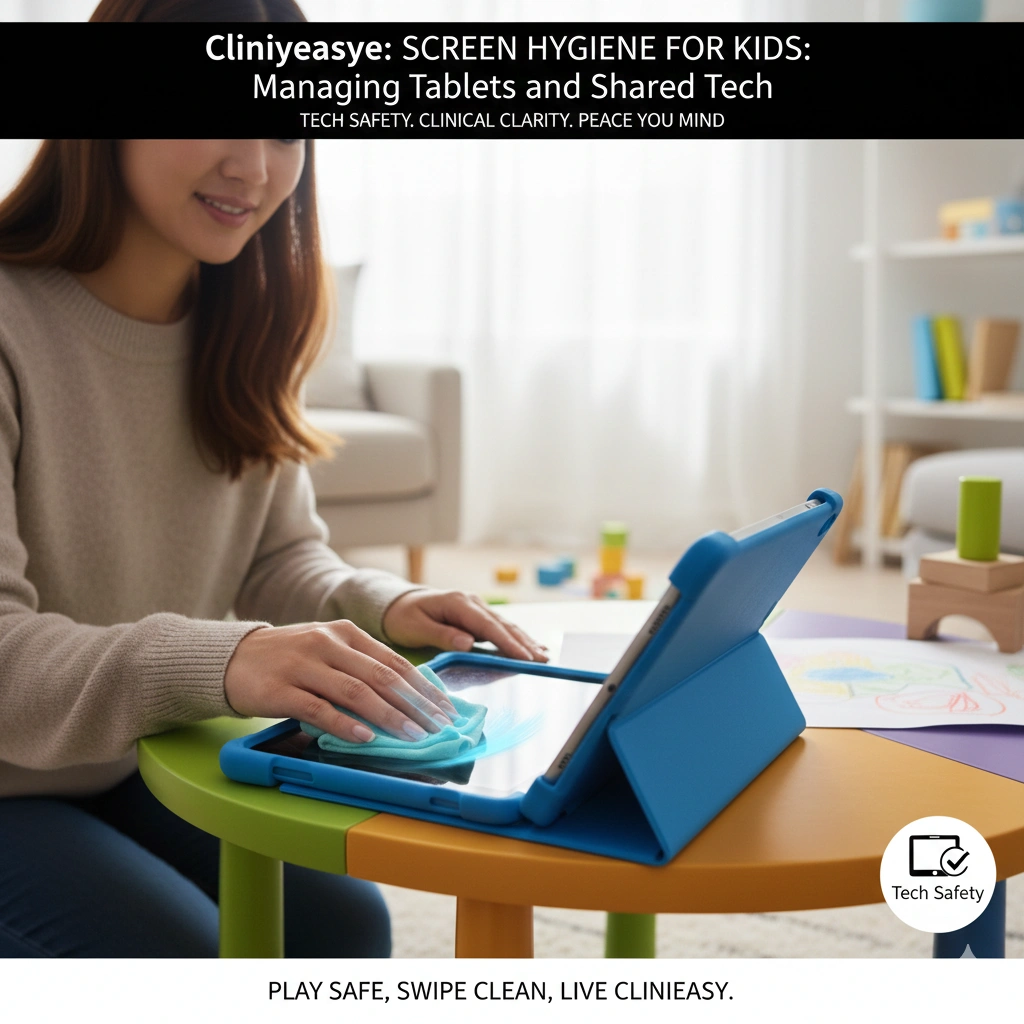

Introduction In the modern household, the “Shared Tablet” has become a digital pacifier, a learning tool, and a portable cinema all in one. However, from a clinical perspective, a child’s tablet is often the most contaminated object in the home. In 2025, with children’s screen time starting earlier than ever, these devices have become “fomite magnets,” collecting a cocktail of saliva, food residue, and environmental pathogens.
A study conducted by microbiologists found that a toddler’s tablet can harbor up to 30 times more bacteria than a clean kitchen counter. Because children frequently alternate between touching their screens and touching their eyes, nose, and mouth, the “Screen-to-Child” transmission loop is a significant pediatric health concern.
At Clinieasy, we believe digital literacy should go hand-in-hand with digital hygiene. Here is how to manage the “iPad Kid” bio-load.
1. The “Sticky Screen” Biofilm
Unlike an adult’s phone, which mostly deals with skin oils, a child’s device deals with organic matter: juice spills, cracker crumbs, and sticky fingers.
- The Science: Organic residue creates a Bio-Matrix. This sticky layer acts as a “glue” for bacteria, protecting them from simple air-drying and making them harder to wipe away.
- The Clinical Fix: You must use a surfactant (a mild soap solution or a dedicated electronic wipe) to break the surface tension of the sticky residue. A dry cloth will only smear the bacteria; you need a “chemical lift” to remove the biological load.
2. The Protective Case: The “Hidden Reservoir”
The heavy-duty, foam-based cases designed for kids are excellent for drop protection but terrible for hygiene.
- The Hazard: The crevices between the tablet and the case trap moisture and food particles. Over time, these gaps can develop mold and yeast colonies that are invisible from the outside.
- The Protocol: Once a week, perform a “Case Reset.” Remove the tablet from its protective shell. Wash the case in warm, soapy water and allow it to dry completely. Sanitize the edges of the tablet itself with a 70% isopropyl alcohol wipe before re-assembling.
3. The “Food and Film” Boundary
The most common point of contamination is “Screen-Snacking”—eating while using the device.
- The Hazard: This creates a direct “Hand-to-Screen-to-Mouth” cycle. As the child touches the contaminated glass and then reaches for a grape or a cracker, they are essentially “eating” the room’s germs.
- The Clinieasy Rule: Establish a “Digital Dining” Barrier. If the tablet is on, the food is away. If the child is eating, the screen is off. This simple rule prevents 90% of the organic buildup on mobile devices.
4. Stylus vs. Finger: The “Pathogen Buffer”
If your child uses a tablet for drawing or schoolwork, the method of interaction matters.
- The Strategy: Using a stylus (digital pen) creates a “Clinical Buffer.” It is much easier to sanitize a plastic stylus than a child’s ten fingers.
- The Fix: If using a stylus, sanitize it daily. If using fingers, enforce a “Wash Before, Wash After” policy for screen sessions.
5. Shared Tech and the “Family Flush”
When multiple children share a single console or tablet, the device becomes a “Microbial Hub.”
- The Clinical Fix: Treat the tablet like a shared spoon. If one child is sick, the device must be sanitized every time it changes hands. In 2025, many parents are opting for Antimicrobial Screen Protectors, which use silver-ion technology to inhibit bacterial growth on the glass surface.
The Clinieasy “Digital Hygiene” Checklist
- Surfactant Scrub: Use electronic wipes to break down “sticky” biofilms.
- The Weekly Deep-Clean: Remove the case to clean hidden “pockets” of debris.
- No-Snack Screens: Decouple eating from tablet use.
- Alcohol Wipe Reset: Use 70% Isopropyl alcohol on the glass daily.
- Wash on Exit: Ensure the child washes their hands the moment the “screen time” is over.
Conclusion: Healthy Tech, Healthy Kids
Screens are an inevitable part of the 2025 childhood experience. By applying clinical standards to these devices, you ensure that they remain tools for growth rather than vectors for illness. It’s not about taking away the tech; it’s about making the tech Clinieasy.
Play safe, swipe clean, and keep it Clinieasy.
Disclaimer: When cleaning electronics, never spray liquids directly onto the device. Always spray onto a microfiber cloth first to prevent “liquid ingress,” which can damage the internal circuitry of the tablet.
Why this fits Article #69:
- Current & Relatable: “iPad Kid” hygiene is a major talking point for parents in 2025.
- High Conversion: Directly promotes the purchase of specialized cleaning kits and screen protectors.
- Clinical Authority: Explains the “Bio-Matrix” of sticky residue, moving the content beyond basic parenting advice.