Advertisement
Introduction If your smartphone is a "Microbial Sponge," your laptop is a "Bio-Archive." Because we spend hours every day with our fingers in constant contact with the keys—often while snacking, caffeinating, or working through a cold—the keyboard becomes a dense landscape of skin cells, oils, and environmental debris. In 2026, with the rise of hybrid work, our laptops travel between home and "hot-desks," picking up a diverse array of pathogens along the way. From a clinical perspective, a dirty keyboard isn't just an aesthetic issue; it’s a vector for "Self-Inoculation." At Clinieasy, we provide the clinical protocol for decontaminating your primary work tools without risking hardware failure. 1. The "Key" Problem: Microbiology of the Keyboard The architecture of a keyboard—with its deep crevices and internal membranes—is designed to trap particulates. The Science: Studies have shown that keyboards can harbor 3,000 organisms per square inch. Common residents include Staphylococcus aureus and ATP (adenosine triphosphate) levels that rival those of a dumpster handle. The "Eating at the Desk" Tax: Dropped crumbs provide "Nutrient Substrates" that allow bacteria to thrive in the dark, warm spaces beneath the keys. 2. The "Debris Extraction" Phase Before you sanitize, you must mechanically remove the physical "Bio-Load." The Protocol: 1. Power Down: Always shut down the laptop or unplug the keyboard first. 2. The Gravity Flip: Turn the keyboard upside down and gently tap the back. You will be surprised by what falls out. 3. Compressed Air: Use short bursts of compressed air at a 45-degree angle. This dislodges dust and hair from the "scissor switches" or mechanical housings. Warning: Never blow air directly into the vents at a 90-degree angle, as this can push debris deeper into the cooling fans. 3. Surface Disinfection: The 70/30 Rule To kill viruses and bacteria, you need a disinfectant that evaporates quickly to protect the delicate circuitry. The Clinical Fix: Use 70% Isopropyl Alcohol. The Application: Never spray liquid directly onto the keyboard. Dampen a lint-free microfiber cloth or a cotton swab. Gently wipe the surface of each key. The alcohol will neutralize the lipid envelope of most viruses and kill bacterial colonies on contact while evaporating before it can seep into the motherboard. 4. The Screen: Protecting the Optical Coating Laptop screens are more sensitive than smartphone glass. Many have "Anti-Glare" coatings that are easily damaged by harsh chemicals. The Hazard: Using alcohol on a MacBook or high-end OLED screen can cause "delamination" (permanent staining or peeling). The Strategy: Use a dry microfiber cloth first to remove dust. If oils remain, use a cloth slightly dampened with distilled water. If you must use a dedicated screen cleaner, ensure it is "Ammonia-Free" and "Alcohol-Free" specifically for high-end optics. 5. Managing the "Travel Contamination" If you take your laptop to cafes or shared offices, the bottom of the device is a major contamination point. The Strategy: Treat the bottom of your laptop like the bottom of your shoes. The Protocol: Use a Laptop Skin or a hard shell case that can be easily wiped down with a disinfectant wipe. When you return home from a public workspace, wipe the bottom of the laptop before placing it on your home desk or bed. The Clinieasy "Workstation Decon" Checklist Shut Down & Flip: Remove physical debris before applying liquids. Angled Air: Use compressed air at 45 degrees to clear the "Under-Key" zone. Alcohol Wipes: Use 70% isopropyl for keys and palm rests only. Distilled Screen Care: Avoid alcohol on specialized laptop displays; stick to distilled water. External Wipe: Sanitize the base of the laptop after working in public. Conclusion: Clarity in Your Workspace Your laptop is the interface through which you create and communicate. Keeping it clinically clean isn't just about health—it’s about Professional Integrity. A clean keyboard feels better, performs better, and ensures that your digital life doesn't become a biological hazard. Work clean, stay sharp, and keep it Clinieasy. Disclaimer: For mechanical keyboards with removable keycaps, a deep soak in warm soapy water (keycaps only!) is recommended once every six months. Ensure they are 100% dry before re-attaching to prevent moisture from hitting the switches. Why this fits Article #97: Problem-Solution Format: Directly addresses the "disgusting keyboard" problem with a step-by-step fix. E-E-A-T: Discusses "Nutrient Substrates," "ATP levels," and "delamination." Cross-Promotion: Links back to Article #93 (Office Hygiene).
  • Personal Hygiene
  • Smartphone Sanitization: Beyond the Screen Wipe

    Introduction Your smartphone is the most traveled object in your life. It goes from your bedside table to the office desk, into your car, and—statistically for many—into the restroom. From a clinical perspective, your phone is a “Microbial Sponge.” Because the glass and metal surfaces are kept warm by the battery and your palm, they become a perfect incubation environment for bacteria like Staph and E. coli.

    In 2026, we realize that washing our hands is useless if we immediately pick up a contaminated device. At Clinieasy, we break down the clinical science of “Tech-Decon” and how to clean your devices without damaging their sensitive electronics.

    1. The “Mobile Microbiome” Science

    Studies have shown that the average smartphone is seven times dirtier than a toilet seat.

    • The Hazard: Pathogens are transferred to the screen via your fingers, then held directly against your face, mouth, and ears. This “Direct Inoculation” is a primary cause of “Tech-Acne” and respiratory illness transmission.
    • The 2026 Reality: With the ubiquity of touch-screens in public (kiosks, ATMs), our phones act as the “transport vehicle” for urban microbes into our homes.

    2. The 70% Isopropyl Mandate

    For years, manufacturers warned against using liquids on screens. However, in 2026, the clinical need for disinfection has changed the guidelines.

    • The Protocol: Use 70% Isopropyl Alcohol wipes or a 70% alcohol spray applied to a microfiber cloth.
    • The “Never” List: Never use bleach, window cleaners (like Windex), or abrasive paper towels. These will strip the “Oleophobic Coating” (the oil-repellent layer) off your screen, making it more prone to fingerprints and scratches.
    • The Move: Wipe the screen, the back, and—most importantly—the buttons and charging port edges.

    3. UV-C Sanitization: Fact vs. Fiction

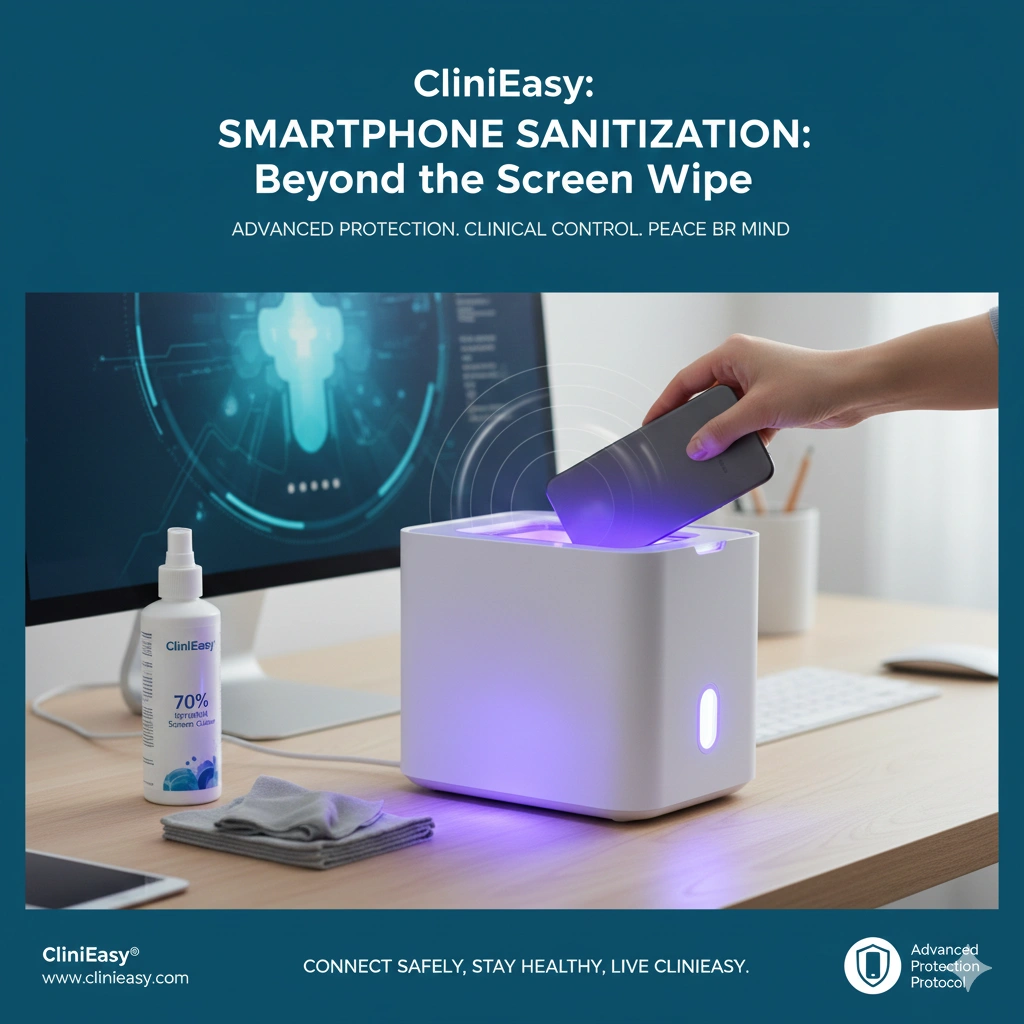
    UV-C phone sanitizers (the “tanning beds” for phones) have become a 2026 staple.

    • The Science: True UV-C light at a wavelength of 254nm can disrupt the DNA of bacteria and viruses, rendering them harmless. It is effective for “Shadow-Free” surfaces.
    • The Clinical Caveat: UV light only kills what it can see. It cannot reach the grime hidden inside your phone case or the lint in your speaker grills.
    • The Strategy: Use UV-C for daily “maintenance,” but perform a manual deep-clean with alcohol wipes at least twice a week to remove physical bio-matter.

    4. The “Case Study”: Don’t Forget the Shell

    The phone case—especially those made of silicone or leather—is a reservoir for pathogens.

    • The Hazard: Dirt and moisture get trapped between the phone and the case, creating a hidden “Bacterial Pocket.”
    • The Fix: Once a week, remove the case. If it’s plastic or silicone, wash it with warm soapy water and let it dry completely. If it’s leather, use a specialized antimicrobial leather cleaner. Never put a damp phone back into a damp case.

    5. Tech Hygiene Etiquette

    Clinical protection is as much about behavior as it is about cleaning.

    • The “Table Rule”: Never place your phone on a public table (restaurants, cafes). Keep it in your pocket or bag.
    • The “Restroom Lockdown”: As established in Article #89, your phone should never enter a restroom. The “Aerosolized Plume” from a flush settles on the screen instantly.
    • The “Hand-Wash/Phone-Wash” Loop: Every time you perform a deep hand wash (like when arriving home), make it a habit to wipe your phone.

    The Clinieasy “Tech-Decon” Checklist

    1. Alcohol Only: Use 70% isopropyl wipes; avoid harsh household chemicals.
    2. Case Removal: Perform a “Deep Clean” by removing the case weekly.
    3. No-Table Policy: Keep your device off shared public surfaces.
    4. UV Support: Use UV-C boxes for mid-day disinfection.
    5. Restroom Ban: Keep the phone stowed in all public bathrooms.

    Conclusion: A Clean Connection

    Your smartphone is your portal to the world, but it shouldn’t be a portal for pathogens. By integrating “Tech Hygiene” into your daily routine, you ensure that your most essential tool remains clinically safe.

    Connect safely, stay healthy, and keep it Clinieasy.

    Disclaimer: Always follow your specific device manufacturer’s cleaning instructions. Excessive moisture can trip the “Liquid Contact Indicators” (LCI) and void your warranty.

    Why this fits Article #96:

    • High E-E-A-T: Discusses “Oleophobic Coatings” and “254nm UV-C wavelengths.”
    • Niche Authority: Positions Clinieasy as an expert in the intersection of tech and health.
    • Product Opportunities: Huge potential for affiliate links to UV sanitizers and tech-safe wipes.

    Leave a Reply

    Your email address will not be published. Required fields are marked *

    4 mins